
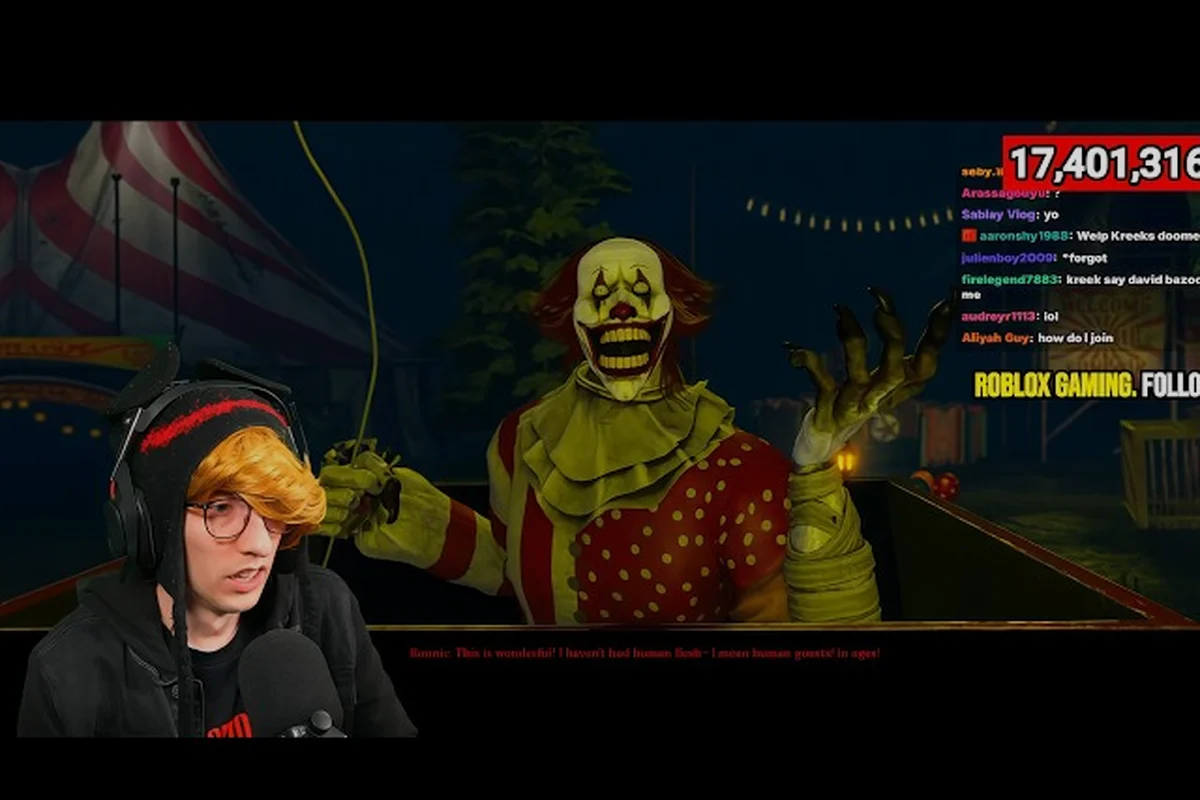
The Mimic community event matters because it separates official milestones from player-organized gatherings, so you can plan activities without mistaking a community session for developer content. Dates, rewards, and availability remain distinct across official channels and the community hub.
Official and Community Event Channels
The clearest first step is identifying who is organizing a gathering. CTStudio announcements describe official game features, while player groups arrange social activities such as themed runs, group photo sessions, and lore nights. The distinction matters because an official event can include tracked progression or rewards, whereas a community event generally depends on voluntary participation and its own rules.
The r/TheMimic community hub is the relevant public source for community-run gatherings. According to community data, organizers coordinate sessions across Reddit and Discord, which means a complete calendar may require checking both places. Official announcements remain the better source for server availability, release timing, and anything connected to account progression.
| Event type | Typical organizer | Primary information source | Rewards |
|---|---|---|---|
| Official game event | CTStudio | Official announcements and patch notes | In-game or account-based, when specified |
| Scheduled community gathering | Player organizer | r/TheMimic and Discord coordination | Usually cosmetic or participation-based |
| Informal group run | Individual players | Player posts | None by default |
| Seasonal game event | CTStudio | The Mimic update and changelog | Explicitly defined rewards |
| Media preview | CTStudio or approved creator | The Mimic trailer or official post | No automatic player reward |
This distinction also prevents misleading claims about a limited-time reward. Unless CTStudio names a reward in an official event notice, community organizers generally cannot grant progression items, currencies, or unlockable content. Any post claiming otherwise should be checked against the game’s official channels before players invest time.
Players can also use the current The Mimic update overview to compare official changes with community notices. The important distinction is that a changelog records shipped or announced game changes, while a community calendar tracks participation. Keeping those sources separate makes event verification more reliable and helps identify outdated reposts.
What Makes an Event Official?
An event is best treated as official when CTStudio publicly identifies it in an announcement, patch note, official trailer, or official game channel. The wording may specify an event window, eligible activities, reward conditions, and any maintenance windows. A trailer can preview upcoming content, but it does not necessarily provide exact dates unless those dates appear in accompanying official information.
A community-run gathering can still be valuable and well organized. Its difference lies in governance and rewards rather than effort or popularity. Community participants may create themed challenges, coordinate group formations, or explore lore topics, but they cannot alter server rules or invent account-bound rewards.
This distinction becomes especially useful during seasonal periods. The Nightmare Circus and other seasonal update details may mention event content, while community sessions may provide separate ways to experience that content with other players. Neither source automatically confirms that a server will be available at a particular time.
Event Dates and Scheduling
A reliable event date needs three pieces of context: the calendar date, the applicable time zone, and the event’s active window. “Tonight” is not enough information for players in other regions, and “ends Friday” does not tell readers when access opens. Dates should therefore be recorded in 24-hour time along with the publisher’s stated time zone.
| Information to record | Example format | Why it matters |
|---|---|---|
| Opening time | 18:00 UTC | Establishes when the event becomes available |
| Closing time | 22:00 UTC | Prevents late arrivals or missed challenges |
| Time zone | UTC or the named regional zone | Allows conversion to local time |
| Server or mode | Specific mode or platform | Clarifies where participation happens |
| Reward deadline | Date and time | Distinguishes event time from redemption time |
| Last verification | Date checked | Identifies stale announcements |
Player-organized gatherings can use a different format. Since community sessions are not official game events, their schedules may depend on attendance rather than a hard server window. Organizers often revise the meeting time in the community hub, so the original post should be treated as a starting point rather than a permanent calendar entry.
A practical routine is to check the post, convert the time, add a reminder, and revisit the thread shortly before joining. If the listing mentions a group photo session, arrive early enough for formation and camera positioning. For a themed run, ask whether the host expects a complete group or allows late players. These small details prevent a technically correct schedule from becoming a poor experience.
Separating Teasers From Confirmed Events
The Mimic teaser is evidence of planned content, not a complete event schedule. Teasers can establish a theme, atmosphere, location, or visual direction before the developer publishes timing and reward conditions. A The Mimic trailer may then reveal more, but players should still look for a dated announcement or changelog entry before organizing around a specific session.
| Announcement stage | What can be confirmed | What remains uncertain |
|---|---|---|
| The Mimic teaser | Theme or planned content | Exact date, rewards, rules |
| The Mimic trailer | Features, scenes, or presentation details | Complete event schedule unless stated |
| Developer post | Intent and featured activities | Reward distribution in some cases |
| Event notice | Dates, tasks, and eligibility | Last-minute adjustments |
| Changelog entry | Shipped changes and corrections | Future planning |
The official Book III trailer from CTStudios is a useful example of a media preview that should not be treated as a substitute for an event calendar. It can support discussion of upcoming content, but the event guide should rely on official announcements for participation details.
Handling Date Changes and Time Zones
Event dates may move because of development, testing, weather, server conditions, or staffing. A community post that says “Saturday” without a date is especially vulnerable to ambiguity. Players should convert every time once, preserve the original time zone, and label community revisions rather than silently overwriting earlier information.
Use a small event log instead of relying on screenshots. Record the source, date checked, start time, end time, organizer, activity, and reward claim. This becomes important when The Mimic downtime appears in another report because an inactive player may interpret a maintenance notice as a canceled community event.
Activities, Rewards, and Participation Options
The safest event plan starts with the activity itself. Official events may involve task progress, gameplay modes, collectibles, or participation milestones, while community events commonly emphasize social coordination. The categories overlap, so event wording must be checked carefully before assigning a reward type.
| Activity | Example objective | Likely participation pattern | Reward verification |
|---|---|---|---|
| Themed run | Enter together with a shared theme or loadout | Group deadline or flexible session | Ask whether rewards are official |
| Group photo session | Gather and pose in a chosen location | Arrival window and formation time | Usually no account reward |
| Lore night | Discuss story clues or theories | Scheduled conversation | Participation recognition only |
| Seasonal challenge | Complete event tasks | Progress-based | Check official patch notes |
| Preview gathering | Watch or discuss new content | Informal or scheduled stream | No automatic reward |
| CTStudio play session | Developer-hosted community play | Published invitation and time | Only named benefits count |
Community reports identify group photo sessions, themed runs, and lore nights as common player-organized formats. Those formats can make the game feel more social, especially when the regular experience emphasizes individual objectives. Even so, community reports do not establish official reward eligibility, so any claimed cosmetic or currency reward should be traced to CTStudio.
For official seasonal content, the seasonal event reward overview can help distinguish event milestones from permanent progression. If a challenge appears in both an official changelog and a community post, the official entry should control names, thresholds, and reward values.
Confirming Reward Eligibility
A reward claim needs four details: its exact name, eligibility condition, delivery method, and deadline. “Free items” is too vague to verify, and a screenshot without a corresponding announcement may describe a custom event where every participant receives a cosmetic badge or title.
| Reward clue | Reliability | Action before participating |
|---|---|---|
| Named in an official changelog | High | Check the event period and claim steps |
| Named in a CTStudio announcement | High | Save the post and verify its date |
| Described by a community host | Medium | Confirm whether it is cosmetic or account-bound |
| Shared as an image without context | Low | Find the original announcement |
| Claimed as an exclusive item on a repost | Low | Compare the exact name with official wording |
Players should also avoid conflating event participation with account ownership. A temporary badge, lobby title, or group pose does not necessarily become a permanent inventory item. Only rewards described as account-based, granted in-game, or otherwise explained in official terms should be treated as persistent.
Preparing for Different Event Formats
Preparation depends on the format. A group photo session may require a clean character, a specific location, and arrival before the host sets the camera. A themed run may need a loadout that fits the theme but remains playable. A lore night requires little gameplay preparation, although reviewing recent story details prevents confusion during discussion.
For official seasonal tasks, check the interface before entering and activate any relevant event tracker. For community sessions, confirm the meeting point, expected duration, voice or text communication, and whether late arrivals are accepted. These details are usually hosted in the event thread rather than in the official changelog.
The Mimic Update, Changelog, and Roadmap
Official event coverage should sit inside a broader record of game changes. The Mimic update may add seasonal content, adjust progression, resolve issues, or announce maintenance. The Mimic changelog provides the clearest record of what actually changed, while The Mimic roadmap communicates intended future work. Reading all three helps distinguish confirmed plans from shipped features.
| Source | Best use | Limitation |
|---|---|---|
| The Mimic update | Current feature summary | May omit minor corrections |
| The Mimic changelog | Exact shipped changes and fixes | Focused on version changes, not every gathering |
| The Mimic roadmap | Intended future direction | Timelines can change |
| Community hub | Player-organized schedule | Does not grant official rewards |
| Event notice | Participation details | Usually narrow in scope |
| Patch notes | Corrections during an event | May be published without broad promotion |
Players searching for the next chapter can use the Book III update and developer news overview to place a community event around major content. The update history is separate from the social calendar: a gathering may celebrate an upcoming book without containing new progression, and a patch may ship without creating a special community event.
What a Changelog Can Confirm
A changelog can confirm the addition of an event tracker, changes to event rewards, a bug fix affecting participation, or corrections to dates. It is also the best place to check whether a feature was renamed after a teaser. Players who rely on a trailer may otherwise search for an old label that no longer appears in the game.
Changelogs rarely document every community photograph, lore session, or player challenge. Those activities remain outside the official update history unless the developer connects them to a feature. This is why a community listing and a changelog may both be correct while describing entirely different things.
Reading the Roadmap Carefully
The Mimic roadmap is useful for long-term expectations, but it is not a live event calendar. Phrases such as “planned,” “in development,” or “targeted” signal intent rather than a guaranteed launch date. A community organizer may use a roadmap milestone as the theme for a preview session, though that does not turn the session into an official event.
| Roadmap language | Reasonable interpretation | Unsafe interpretation |
|---|---|---|
| “Planned for the next chapter” | Feature is under consideration | Final release date guaranteed |
| “Currently in development” | Team is working on it | Event is already live |
| “Targeted for a future update” | A release window is being considered | Exact date is fixed |
| “Coming later” | Content is on the horizon | Rewards or dates are known |
| “In testing” | Limited verification may be underway | All players have access |
Verifying Announcement Chains
A solid verification chain connects the announcement to the source, the source to a date, and the date to the live game. First, locate the original CTStudio post. Next, compare its wording with the patch notes. Finally, confirm that the interface, tracker, or reward appears after release. If a claim stops at a repost, it remains unconfirmed.
This method is particularly useful when The Mimic downtime is reported around a busy period. Maintenance may interrupt a scheduled community session, but only an official service notice should establish server closure. Players can consult the server status and downtime overview before traveling to an in-person event or joining a timed group.
Teasers, Trailers, and Official Announcements
A The Mimic teaser creates anticipation by revealing limited information. A The Mimic trailer can show movement, environments, characters, or dramatic sequences, but the footage does not automatically define event rules. Dates, tasks, and rewards require a dated announcement or supporting changelog entry.
Media Preview Checklist
Before planning around a preview, verify the publisher, upload date, game version, and whether the video mentions an event at all. CTStudios’ official upload is stronger evidence than an uncredited repost. Compare the visible title and creator with the known channel, and avoid copying a trailer description from a page that may be outdated.
| Question | Why it matters | Reliable evidence |
|---|---|---|
| Who published the media? | Separates official news from fan content | CTStudios upload or linked post |
| When was it published? | Establishes relevance | Visible upload or post date |
| Does it name an event? | Confirms media purpose | Video description or announcement |
| Are dates included? | Determines whether planning is possible | On-screen date or official text |
| Are rewards described? | Prevents assumptions | Official rules and changelog |
| Is the trailer still current? | Avoids obsolete information | Recent official communication |
Community clips can still provide useful impressions, reactions, or footage of an event already underway. They should be treated as player experience rather than authority for rules. When a community clip conflicts with an official date, the official date wins until CTStudio confirms a revision.
Turning a Preview Into a Plan
A useful action plan separates what you know from what you need. Known items might include the event theme, a playable area shown in the trailer, or the chapter involved. Unknown items include start time, duration, eligibility, reward delivery, and behavior during server maintenance.
Write those unknowns down and assign each one a source to check. Dates and rewards should come from an event announcement or changelog. Community arrangements can come from the Reddit hub. Server status should come from an official service update. This prevents a compelling teaser from being mistaken for a complete set of instructions.
Verifying event organizer, time, and rewards
A short checklist helps prevent missed activities, incorrect reward claims, and confusion around downtime. Begin with the organizer and source, then verify the date, time zone, server, activity, and reward. Recheck the information close to the event because both official notices and community threads can change.
-
Record the original source URL and the date you checked it.
-
Convert the listed time to your local zone while retaining the original time.
-
Confirm whether the gathering is official, community-run, or mixed.
-
Check the event tracker or patch notes for relevant updates.
-
Verify every reward against an official announcement.
-
Save an in-game screenshot of rewards after they appear, if permitted.
-
Check server notices before joining a timed session.
-
Join community gatherings early if photos or group formation are involved.
-
Avoid spreading an unverified date after it has been corrected.
-
Record which details remain uncertain rather than filling gaps with assumptions.
| Timing | Recommended action | Reason |
|---|---|---|
| 48–72 hours before | Review the source and convert times | Catches basic scheduling errors |
| 24 hours before | Recheck dates, rewards, and server status | Captures recent revisions |
| 30 minutes before | Join the official channel or event thread | Confirms whether the session is active |
| During the event | Follow the posted rules and tracker | Prevents accidental rule violations |
| Immediately after | Verify delivered rewards and capture notes | Supports accurate personal records |
| 24 hours after | Save a final update if needed | Keeps records current |
A final distinction deserves emphasis: community participation can improve the social experience, but it does not automatically become official content. Treat official announcements as authority for game changes and rewards, and treat player reports as evidence of community activity. This approach keeps expectations accurate while still allowing The Mimic community event gatherings to be engaging and well organized.
Frequently Asked Questions
Is The Mimic community event official?
It depends on the listing. A CTStudio announcement for seasonal content, challenges, or rewards is official, while player-organized group photo sessions, themed runs, and lore nights are community events. The r/TheMimic hub describes these gatherings as community-run, so participants should not expect official items unless CTStudio separately confirms them.
Where can I find confirmed The Mimic update details?
Use the official game channels, patch notes, and The Mimic changelog for confirmed changes. Trailers and teasers can preview what is coming, but they may omit exact dates, event rules, or reward conditions. Community posts are useful for social activities but should not replace official documentation when account rewards or server availability are concerned.
Does The Mimic downtime cancel community events?
Not automatically. Official downtime can prevent players from connecting, while a community gathering may be rescheduled independently by its organizer. Check the current service notice for The Mimic downtime and then look for a revision in the event thread. Do not assume a canceled game session means every player-organized activity has been canceled.
How can I verify a claimed The Mimic roadmap reward?
Find the exact reward wording in an official CTStudio announcement or changelog entry. Community reports may describe a cosmetic badge, group image, or themed activity, but they cannot create account-bound rewards. If the claim appears only in a screenshot or repost, treat it as unconfirmed until the official source names the item, eligibility rule, and delivery method.
Does a The Mimic trailer include event dates?
Not necessarily. The Mimic trailer may reveal features or atmosphere without providing exact start and end times, especially when it serves as a general content preview. Confirm dates through a dated official announcement or changelog. The official Book III trailer can support discussion of upcoming content, but it should not replace the event notice or patch notes.